

Introduction
As a developer, you need more than a CV or resume to stand out in the sea of tech talent. Employers and clients aren’t just looking for a list of skills—they want to see real projects, problem-solving abilities, and collaboration in action. That’s where GitHub becomes invaluable.
GitHub is your dynamic portfolio, your professional showcase, and often, your key to landing job opportunities or freelance work. It highlights your technical expertise, coding style, and contributions to the developer community.
But here’s the catch: simply having a GitHub profile isn’t enough. You need to make it work for you. Let’s take a closer look at GitHub and see how you can make it your competitive edge in the tech world.
Understanding GitHub: A Quick Overview
Before we discuss crafting a strong GitHub portfolio, let’s quickly break down what GitHub is used for: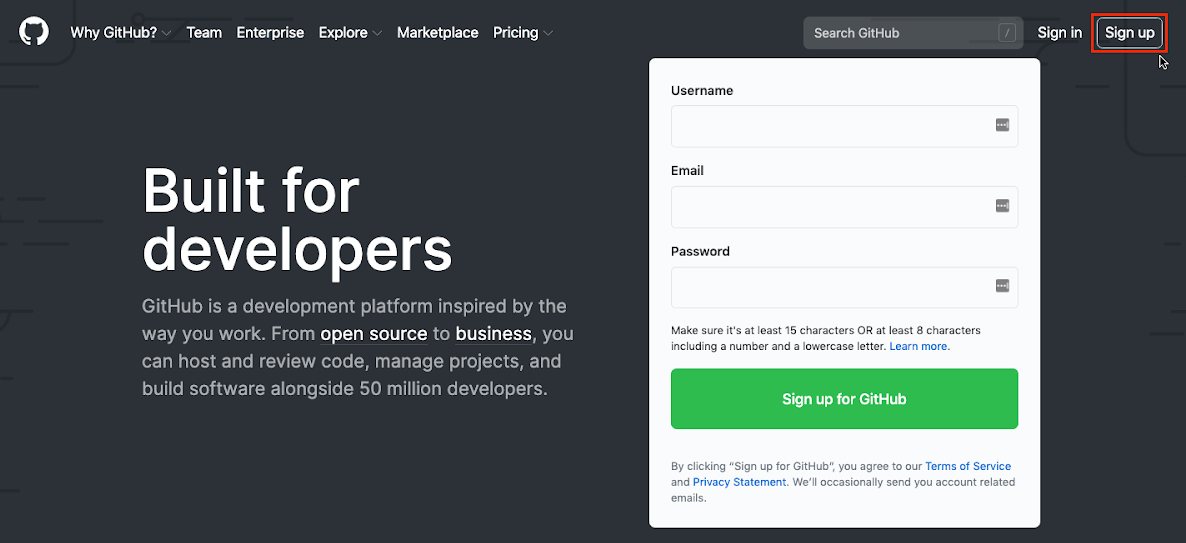
- Version Control: Keeps track of code changes, making collaboration seamless.
- Repositories: Store and organize your projects efficiently.
- Commits & Branches: Manage updates and experiment without affecting the main codebase.
- Pull Requests & Issues: Facilitate collaboration, feedback, and improvements.
- README Files: Introduce your projects clearly and make a strong first impression.
GitHub isn’t just a coding tool—it’s a professional showcase. Whether you’re job hunting or freelancing, a strong GitHub presence can set you apart.
Why a Strong GitHub Portfolio Matters
Your GitHub profile isn’t just a code storage space—it’s a highlight of your skills, creativity, and growth as a developer. Employers want more than just a resume; they need real proof of your abilities. A strong GitHub portfolio helps you stand out by:
- Demonstrating Your Skills with Real Projects – Employers can assess your coding style, problem-solving approach, and technical expertise through your repositories.
- Highlighting Continuous Growth – Regular commits, evolving projects, and improvements over time show your dedication to learning and self-improvement.
- Showcasing Collaboration & Communication – Contributions to open-source projects, pull requests, and discussions reflect your ability to work in teams and communicate effectively.
- Boosting Your Professional Presence – A well-maintained GitHub profile builds credibility, expands networking opportunities, and increases your chances of landing job interviews.
- Proving Industry-Ready Skills – Using Git, CI/CD pipelines, and automation tools like GitHub Actions signals your readiness for modern software development.
Ready to take your GitHub portfolio to the next level? At ConsulNet Corporation, our CodeGirls Bootcamp helps you sharpen your coding skills and present your projects in a way that catches employers’ eyes. We’re here to guide you every step of the way!.
GitHub Best Practices for Beginners: How to Optimize Your Portfolio
A well-structured GitHub profile can make you stand out to recruiters and display your coding skills effectively. Here’s how to optimize it:
1. Optimize Your GitHub Profile
- Use your real name and a professional username.
- Write a compelling GitHub profile README (bio, skills, interests, portfolio links).
- Add a professional profile picture.
2. Organize Your Repositories
- Prioritize quality over quantity—3-5 well-maintained projects are better than 20 unfinished ones.
- Use clear repository names (e.g., ecommerce-dashboard instead of project1).
- Keep repositories public whenever possible to showcase your work.
3. Write Great README Files
- Add a short project intro, key features, an installation guide, and demo links.
- Use markdown formatting, images, and badges to make it visually appealing.
4. Commit Regularly & Follow Clean Code Practices
- Small, meaningful commits > one massive commit.
- Use proper folder structures and naming conventions.
5. Pin Your Best Repositories
- Pin 3-4 standout projects at the top of your profile.
- Ensure they have well-documented README files and clean code.
Common GitHub Mistakes to Avoid
Your GitHub portfolio is a key part of your developer identity. Here are some mistakes to avoid:
- Cluttered Repositories: Too many unfinished projects make your GitHub for developers look messy. Keep only your best work visible.
- Lack of Documentation: A project without a README is incomplete. Good documentation is crucial for both your GitHub portfolio and GitHub for recruiters.
- Inconsistent Activity: Infrequent commits can make you seem inactive. Regular updates show you’re engaged and growing.
- Vague Repo Names: Use clear, descriptive names for your repositories. This makes navigating your GitHub portfolio easier for both you and recruiters.
- No Visuals or Demos: Adding images or demo links makes your projects more engaging and user-friendly on your GitHub portfolio.
By avoiding these mistakes, you’ll improve your GitHub for developers and create a profile that stands out to recruiters.
Conclusion
Your GitHub portfolio is a powerful tool that reflects your coding abilities and professional growth. By following best practices and avoiding common mistakes, you can create a profile that not only highlights your skills but also increases your chances of catching the attention of potential employers and collaborators, especially when recruiters explore your GitHub for developers.
At ConsulNet Corporation, we’re dedicated to helping you elevate your skills and create a portfolio that stands out. Through our comprehensive training programs, you’ll gain hands-on experience and practical knowledge that sets you apart in the competitive tech industry. Ready to level up your skills and make your GitHub profile shine?